 autor
autor
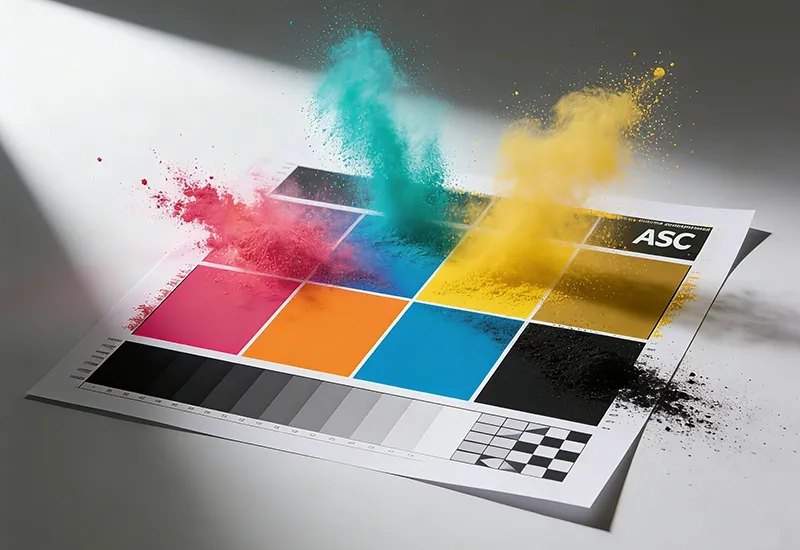
Color printer toner scattering usually appears as loose powder, dirty edges, or unstable fixing around printed areas. It can come from toner flowability, charge behavior, transfer conditions, the fuser, paper, or a mismatch between the toner and the device. The most useful response is to separate the visible symptom from its cause, then test the toner in the actual printer or copier under normal conditions.
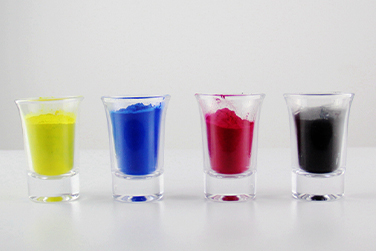
Scattering is more than a page that looks slightly untidy. It may leave fine powder near dense color areas, create a dirty edge around text or graphics, or place loose toner inside the device where it can affect other parts of the print path.
The symptom may become more obvious during a long color run. A first page can look acceptable while later pages show weaker fixing, more contamination, or a change in density. That is why a short visual check is useful, but a repeated test is more informative.
Dense color fields place greater demands on development and transfer. If particles do not charge, flow, or transfer evenly, excess material can collect around the developing unit or appear outside the intended image area. The result may look like dusting, edge haze, or small specks on otherwise clean paper.
When toner does not fuse firmly, the page may rub off during stacking, folding, scanning, or transport. Poor fixing can be related to toner formulation, fuser temperature, paper selection, speed, or the condition of the machine. It should be checked with a controlled rub and repeat-print test rather than judged from color brightness alone.

Toner has to move through the cartridge and developing system without clumping, overflowing, or behaving too freely. ASC TONER describes particle control with D50 of 5-10 micrometers, span below 1.3, and CV below 25 percent. These controls help explain why particle distribution matters, but the final judgment still belongs to the print application.
Excessive fluidity can contribute to unstable development or powder movement in some systems. Too little flow can create feeding problems and uneven coverage. The target is a controlled balance that supports transfer to the page without leaving unnecessary material in the machine.
A laser printer or copier uses electrostatic behavior to place toner on the image area. If charge distribution drifts, the developing unit may deliver too much or too little powder, especially across mixed color coverage. That can produce weak solids, dirty backgrounds, color imbalance, or scattering that changes as the device warms up.
Even well-behaved toner can show a defect if transfer is inefficient or fusing conditions are unsuitable. Paper weight, surface, moisture, fuser temperature, and machine settings all affect the final bond. Troubleshooting should therefore include the complete print path instead of treating toner as the only possible cause.
Scattering describes loose or misplaced toner particles, while color bleeding describes one color spreading into an adjacent area. ASC TONER records a G71 color-control improvement in which red bleeding was linked to particle-size distribution, charge behavior, and excessive fluidity. That is a different mechanism from the G72 flying-powder problem, even though both can make a color page look unstable.
Toner leakage often points to a seal, housing, handling, or cartridge condition issue. Scattering is more closely connected to how toner behaves during development and transfer. The distinction matters because replacing a leaking cartridge will not solve a formulation or fuser problem, while changing toner will not repair a damaged seal.
Background gray covers non-image areas with an unwanted veil, whereas scattering may appear as loose powder, edge contamination, or isolated specks. Both defects can be influenced by charge and transfer, so the test page should include white areas, fine text, solid fills, gradients, and repeated prints to reveal the pattern.
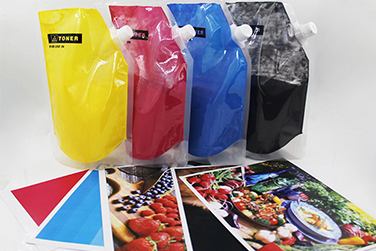
Begin with the exact printer or copier model, the toner type, the paper, and the machine setting. Record whether the defect appears in black, one color, or all colors, and whether it starts immediately or after a warm-up period. This simple record helps distinguish a product issue from a device or operating-condition issue.
Print the same file several times instead of relying on one sheet. Use fine text, color blocks, a gradient, and a page with normal business coverage. Inspect the developing area, the printed surface, the page edges, and the device interior after the run, while keeping the paper and settings unchanged.
A useful approval test connects the powder or cartridge to the actual machine. Check image density, background cleanliness, color consistency, fixing, transfer, waste toner, and signs of internal contamination. Keep the sample and test conditions with the batch record so later output can be compared with the original result.
For the G71 color toner application, ASC TONER describes an improvement completed in December 2024 after red color bleeding was reported. The process and materials were adjusted to improve particle-size distribution and normalize charge behavior, while an external additive was changed to reduce excessive fluidity. Blue, yellow, and black showed no color bleeding after continuous printing of 50,000 pages in the recorded test, while red showed slight bleeding accepted after customer testing.
Read the ASC TONER G71 color-control case to see why bleeding and scattering should be diagnosed separately.
For Canon G72, ASC TONER describes toner accumulating near the magnetic roller blade, followed by flying powder and unstable fixing. The response adjusted post-additive techniques and materials to improve particle fluidity, reduce internal contamination and blade wear, and improve transfer from the drum to paper.
The recorded G72 result was no toner scattering, strong fusing adhesion, and consistent color output on a Canon C7565/7580 using standard A4 70g paper with the Plain Paper 1 setting for 64 g-75 g media. The listed page yields were BK 60K, M 58K, Y 55K, and C 70K. These figures belong to that test setup and should not be generalized to every printer or paper condition.
Color printer toner scattering is best handled as a system problem. Check the model match, powder behavior, charge, transfer, fuser, paper, and repeated output before deciding what to change. ASC TONER’s G71 and G72 cases show how targeted adjustments to particle distribution, additives, flowability, and fixing can address different color-printing defects without confusing one symptom for another.
Explore ASC TONER color toner solutions and compare the product category and application details that fit the device under review.
A: Color printer toner scattering can result from uncontrolled flowability, unstable charge, poor development, inefficient transfer, unsuitable fuser conditions, paper interaction, or an incorrect toner-to-device match. A repeat test with the same paper and machine setting helps show whether the defect follows the toner, the equipment, or the operating condition.
A: No. Toner leakage usually points to a seal, housing, handling, or cartridge condition problem. Toner scattering describes powder that moves outside the intended image path during development or transfer. The two symptoms can appear together, but they require different checks and should not be treated as one fault.
A: Print a representative page, allow the sheet to exit normally, and check whether the image rubs, smears, or sheds during handling. Repeat the test after the device warms up and use the same paper and settings. Compare fixing with density, background, transfer, and internal cleanliness rather than judging it alone.
A: ASC TONER provides compatible color toner and cartridge categories for printer and copier applications. Its G71 and G72 cases address different issues through changes to particle distribution, charge behavior, additives, flowability, transfer, and fixing. Product selection should still be matched to the exact equipment and tested under the intended operating conditions.